
You set your Samsung electric oven to 350°F or 400°F.
The display turns on. The timer starts. The oven may say Preheat. Sometimes the cooling fan runs normally.
But the temperature never reaches the setting.
It may stay stuck at a low temperature, rise very slowly, or appear to be heating without ever reaching the selected temperature.
This is one of the most frustrating Samsung oven problems because the appliance looks like it is working. The control panel is lit, the buttons respond, and the clock keeps running — but dinner is delayed, baking is ruined, and the oven simply will not get hot enough.
For many Samsung electric ranges and wall ovens, one likely cause is a failed lower bake element or a problem in the lower heating circuit.
At Appliances Fix & Care, we diagnose and repair Samsung electric ovens throughout Tampa Bay, including Tampa, South Tampa, Brandon, Riverview, Clearwater, St. Petersburg, Largo, Carrollwood, Lutz, and nearby areas.
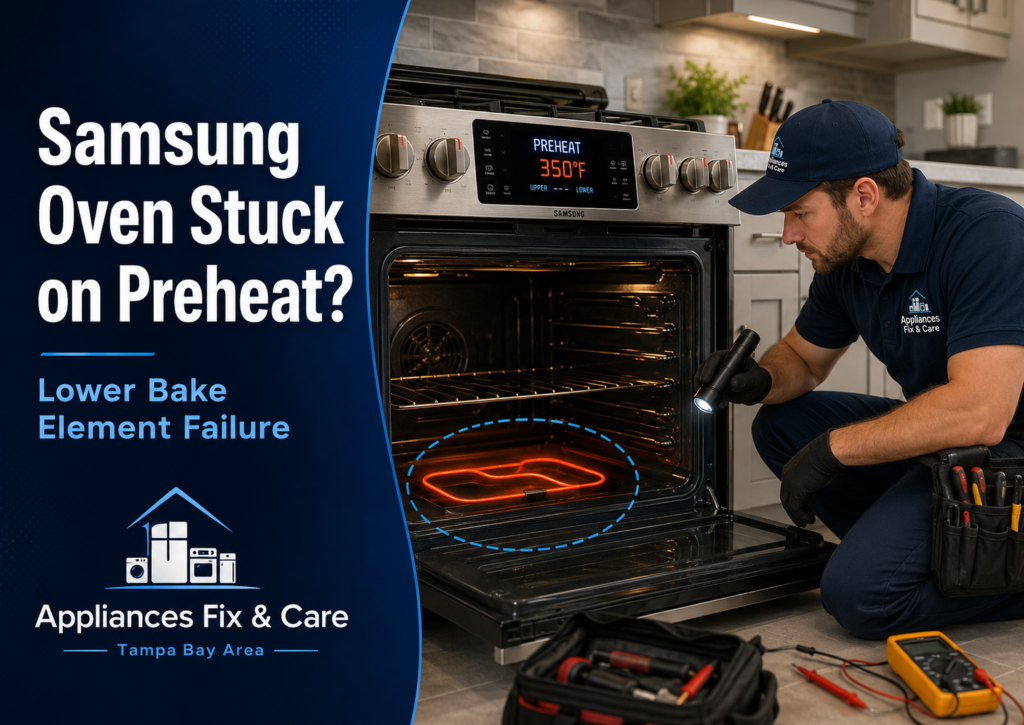
The Most Common Symptom: Samsung Oven Is Stuck on Preheat
Customers usually do not search for “failed bake element.”
They search for exactly what they see:
- Samsung oven not heating
- Samsung oven won’t preheat
- Samsung oven stuck on preheat
- Samsung oven takes too long to preheat
- Samsung oven not reaching temperature
- Samsung oven display works but oven does not heat
- Samsung electric oven turns on but stays cold
- Samsung oven temperature is not going up
The frustrating part is that the display may make it look like everything is normal.
The oven may beep, show the selected temperature, count down time, and even run the convection fan. But if the lower heating system is not working correctly, the oven may never reach the temperature needed to cook food safely and evenly.
Why the Lower Bake Element Matters
In an electric oven, the lower bake element does much of the work during normal Bake mode.
On many Samsung models, the lower heating element is hidden below the oven floor. That means homeowners may not see an obvious broken or glowing element inside the oven cavity.
During preheat, the oven control may use more than one heating source depending on the model and selected mode. However, if the lower bake element is open, damaged, disconnected, or not receiving power, the oven can struggle to heat up or fail to reach the selected temperature.
This often creates a confusing situation:
- The broil element may still work.
- The oven light and display still work.
- The timer still counts down.
- The range top may work normally.
- The oven may warm slightly but never reach 350°F, 400°F, or higher.
That is why a Samsung oven can appear “partially alive” while still being unable to bake properly.
Signs Your Samsung Bake Element or Heating Circuit May Have Failed
A failed lower bake element is not the only possible cause, but these warning signs are very common:
1. The oven is stuck on Preheat
You select Bake and set the temperature, but the display stays on Preheat for an unusually long time.
2. The oven temperature rises very slowly
A normal oven should not need an hour to reach a standard baking temperature. If it climbs slowly or stalls far below the selected setting, the bake circuit needs to be checked.
3. The oven heats a little but never reaches the selected temperature
For example, you set the oven to 400°F, but it stops around 175°F, 200°F, or another low temperature.
4. Broil works, but Bake does not
If the top broil element heats but the oven will not bake correctly, the lower bake element or its power circuit becomes a strong suspect.
5. Food is undercooked on the bottom
Cookies may remain pale underneath. Casseroles may take much longer than usual. Pizza, bread, and baked dishes may cook unevenly because the lower heat is weak or missing.
6. You smell burning plastic or see damage around the element connection
A failed element can sometimes be accompanied by damaged terminals, overheated wiring, or a burned connection behind the oven cavity.
If you smell electrical burning, see smoke, hear popping, or notice that the breaker trips, stop using the oven and turn off power at the breaker.
It Is Not Always the Lower Element
A proper Samsung oven diagnosis should not be based on guessing.
Although a failed lower bake element is a common cause of a Samsung electric oven not heating, several other issues can create similar symptoms:
- Burned or loose bake-element terminals
- Damaged wiring harness
- Failed relay on the electronic control board
- Oven temperature sensor problem
- Partial 240-volt power loss
- Tripped or weak circuit breaker
- Incorrect installation or power-supply issue
- Control board communication issue
- Door or mode-setting issue on certain models
For example, an oven can still have a working display and oven light even if it is not receiving the full electrical supply needed for heating elements.
That is why replacing parts without testing can become expensive. A technician should verify the element, wiring, voltage supply, sensor readings, and control-board output before recommending a repair.
Before Calling for Samsung Oven Repair: Safe Things You Can Check
There are a few basic checks that may help rule out a simple issue.
Reset the circuit breaker completely
Do not just look at the breaker and assume it is on.
Turn the oven breaker fully OFF, wait about 30 seconds, and then turn it back ON. Samsung also recommends cycling the breaker as part of basic no-heat troubleshooting, since a tripped breaker may not always look obvious. sure you are using Bake mode
Confirm that the oven is set to Bake, not Keep Warm, Delay Start, Demo Mode, or another setting that may prevent normal heating.
Check whether the oven door is fully closed
A door that does not close properly can allow heat to escape and may affect heating behavior on some models.
Do not confuse calibration with a no-heat problem
Temperature calibration can help when an oven reaches temperature but runs slightly hot or cold.
But calibration will not repair an oven that cannot preheat, barely heats, or gets stuck far below the selected temperature. Samsung separates temperature-adjustment instructions from its no-heat troubleshooting guidance. d using Self Clean as a “test”
Self Clean is not a diagnostic tool. If the oven already has a weak heating circuit, damaged connection, or electrical issue, running a very high-temperature cycle is not the right way to identify the problem.
Why Professional Diagnosis Matters
Samsung electric ranges and wall ovens operate on high voltage. The lower bake element may be hidden, and the actual failure may be behind the oven cavity or on the electronic control board.
A professional diagnosis can determine:
- Whether the lower bake element has continuity
- Whether the element is receiving proper voltage
- Whether the terminal connections are burned or loose
- Whether the oven sensor is reading correctly
- Whether the control board relay is sending power to the bake circuit
- Whether the range has a power-supply issue
- Whether repair is more cost-effective than replacement
The goal is not just to make the oven “warm again.” The goal is to make sure it reaches and maintains the correct baking temperature safely.
Samsung Electric Oven Repair in Tampa Bay
If your Samsung oven display is on but the oven will not preheat, takes too long to heat, or cannot reach the selected temperature, Appliances Fix & Care can help.
We repair Samsung electric ranges and wall ovens throughout Tampa Bay, including:
- Tampa
- South Tampa
- Brandon
- Riverview
- Valrico
- Carrollwood
- Lutz
- Wesley Chapel
- Clearwater
- St. Petersburg
- Largo
- Palm Harbor
- Pinellas County and nearby areas
Whether the problem is a failed lower bake element, burned wire connection, temperature sensor, relay, or control board issue, we diagnose the actual cause before recommending the repair.
Do not keep guessing, changing temperature settings, or waiting an extra hour for dinner to cook.
If your Samsung electric oven is stuck on Preheat or will not reach temperature, schedule a professional oven diagnosis with Appliances Fix & Care.
Frequently Asked Questions
Why is my Samsung oven stuck on Preheat?
A Samsung oven may stay on Preheat when it cannot reach the selected temperature within the expected time. Common causes include a failed lower bake element, damaged element connection, faulty control board relay, sensor issue, or incomplete power supply.
Why does my Samsung oven display work but the oven does not heat?
The display, light, timer, and touch controls use different electrical circuits than the heating elements. An oven can appear to work normally while the bake element is not receiving the power needed to produce heat.
Can a Samsung oven heat if the lower bake element is bad?
It may heat slightly, especially if the broil element or convection system operates during preheat. However, the oven may take far too long to heat, fail to reach the selected temperature, or cook food unevenly.
Why does my Samsung oven take so long to preheat?
A slow preheat can be caused by a weak or failed lower bake element, a bad broil element, a faulty relay, temperature-sensor issues, loose wiring, or a power-supply problem.
Is oven calibration the solution if my Samsung oven will not preheat?
No. Calibration is for an oven that heats but runs slightly hotter or colder than expected. If the oven cannot reach temperature or remains stuck on Preheat, it needs diagnosis and repair.
Can I replace a Samsung bake element myself?
Some bake-element replacements are straightforward, but electric ovens use high voltage and may have hidden elements, damaged terminals, or electrical faults behind the oven cavity. If there is any burned wiring, breaker issue, or uncertainty about the diagnosis, professional service is the safer option.